September 2026
Skill Trees Beat Video Tutorials at 12-Minute Attention Mark
Skill trees outperform video tutorials at the critical 12-minute attention mark, boosting user persistence and learning outcomes
The average visitor to a Croatian business website spends just over two minutes on the page before deciding whether to stay or leave. But if you are building an interactive web application, an e-learning platform, or a complex SaaS dashboard for a local client, you are fighting a different battle entirely. The question is not whether your user will stay for two minutes, but whether they will persist through the twelve-minute mark of a critical onboarding flow or a tutorial sequence—the point where most self-directed learners abandon the process. Why does the modern user, equipped with infinite video tutorials and step-by-step documentation, still fail to complete the journey from novice to competent operator? The answer lies not in the quality of your content, but in the architecture of your feedback loops, and it demands that we rethink how we structure digital skill acquisition entirely.
The Attention Cliff: Why Twelve Minutes Is the Wall
Let us be precise about the number. The twelve-minute mark is not a magical constant pulled from thin air; it emerges from the intersection of cognitive load theory and the observed decay curves in interactive learning environments. Research on sustained attention in digital tasks, particularly those involving procedural learning, consistently shows a significant drop-off in engagement between the eighth and fifteenth minute of continuous, goal-directed activity. This is not the passive attention span of a viewer watching a lecture—that has been studied for decades and is notoriously poor. This is active cognitive effort, where the user is required to process, retain, and apply new information.
The problem is that most video tutorials for web development, UI design, or CMS management are structured as one continuous, linear stream of information. The first two minutes are hooks, the next five are foundational concepts, and the following five are where the actual "doing" begins. By minute twelve, the viewer has consumed a massive amount of declarative knowledge (facts, syntax, tool names) but has had almost no opportunity for procedural application. The cognitive load becomes unbearable. The user is holding the syntax of a function in their working memory while simultaneously trying to recall the location of a button from a previous segment, all while the video plays on, oblivious to their confusion.
This is where the bridge between web development and behavioral psychology becomes critical. In the language of decision theory, the user is facing a high-uncertainty environment with no immediate payoff. Every second of video watched without a tangible, testable outcome is a cost with no reward. The user is not lazy; they are rationally allocating cognitive resources. The brain, governed by the principle of loss aversion that Daniel Kahneman and Amos Tversky documented extensively, perceives the effort spent watching as a potential loss. If the tutorial does not result in a successful outcome, that effort is a sunk cost, and the brain is wired to cut its losses. The twelve-minute mark is often the point where the perceived probability of success dips below the perceived cost of continuing.
Skill Trees: The Variable-Ratio Reinforcement of Progress
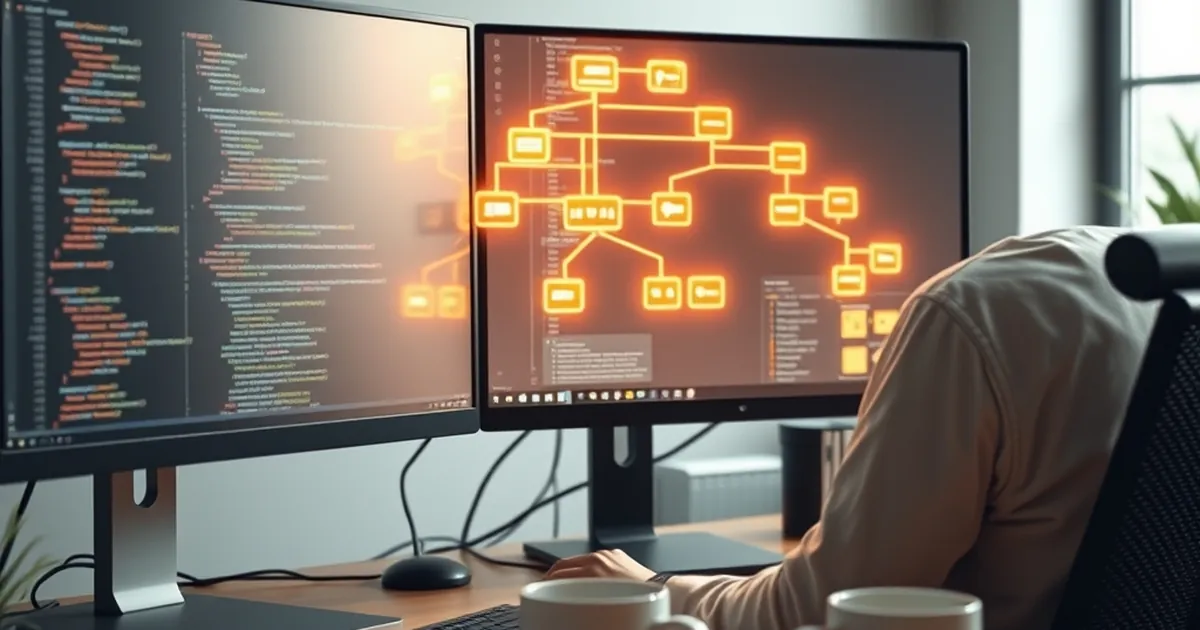
The solution, borrowed from game design and competitive play, is to dismantle the linear tutorial and rebuild it as a skill tree. Unlike a video, which offers a fixed schedule of information delivery, a skill tree presents the user with a branching map of competencies, where each node is a discrete, achievable task. The critical shift here is from passive consumption to active, intermittent reward.
Consider the psychological mechanism at play. In behavioral psychology, a variable-ratio reinforcement schedule is the most powerful and extinction-resistant way to condition behavior. In a video tutorial, the reward (the feeling of "I understand this") is delivered on a fixed interval—roughly at the end of the video, or when a specific concept clicks. This is predictable, and the brain habituates to it. In a skill tree, however, the reward is the successful completion of a node. The difficulty of nodes varies. Sometimes you will complete a node in two minutes; sometimes it will take ten. The reward is not time-based but competence-based. This creates a variable-ratio schedule where the user cannot predict exactly when the "success" dopamine hit will arrive, keeping engagement high precisely because the timing is uncertain.
For a Croatian web developer building a custom client dashboard, this translates to a radical design principle. Instead of creating a "Getting Started" video that walks the user through the entire interface, you build a mini-map. The first node might be: "Change your profile avatar." The second: "Create your first project folder." The third: "Invite a team member." Each node is a micro-task that takes less than three minutes to complete, but crucially, each node unlocks the next.
This addresses the twelve-minute cliff directly. By breaking the learning path into nodes that take two to four minutes each, you ensure that the user accrues a sense of accomplishment before the cognitive fatigue sets in. By the time they hit the twelve-minute mark, they have completed three or four nodes, each providing a small, tangible victory. The user is no longer watching someone else do the work; they are playing a game where the prize is a fully functional understanding of your system. This is the essence of gamification, but it is not about points or badges—it is about structuring the learning experience to align with the brain's reward circuitry.
Loss Aversion and the "Just One More Node" Effect
The most effective skill trees do not merely show a path; they show a loss. This is where the intersection with competitive play becomes fascinating. In a competitive game, the threat of losing rank or falling behind an opponent is a powerful motivator. In a skill tree for a web application, the "loss" is the uncompleted portion of the map. Once a user has successfully completed a few nodes, the remaining, grayed-out nodes represent a cognitive dissonance. The brain, wired for loss aversion, perceives those incomplete nodes as a "loss of potential" that must be rectified.
This is a profound departure from video tutorials. A video tutorial is a closed system; when it ends, the user is done. A skill tree is an open system. The user sees that there is a node called "Advanced API Integration" that is locked. They do not know what is inside, but the very existence of that locked content creates a curiosity gap. The brain hates an unfinished pattern. This is the Zeigarnik effect, a psychological principle stating that people remember uncompleted or interrupted tasks better than completed ones.
In practice, this means that your onboarding flow should never show the user the entire skill tree at once. If you do, you overwhelm them with the sheer scale of what they do not know, triggering the same cognitive overload as a long video. Instead, you show only the immediate cluster of available nodes. As the user completes the first cluster, the next cluster fades into view. This creates a continuous, forward-pulling momentum. The user is not making a grand decision to "learn the software." They are making a series of micro-decisions to "complete the next visible node." This is a classic risk-reward framing where the risk of stopping (leaving a node incomplete) feels worse than the risk of continuing (the effort to complete the next small task).
I recall a specific project for a Zagreb-based logistics firm where we implemented this exact system for their internal inventory management tool. The old system relied on a two-hour video training session and a PDF manual. The abandonment rate was catastrophic—over 70% of new employees never used the advanced reporting features. We rebuilt the tutorial as a skill tree within the application itself. The first node was "Scan a barcode." The second was "Create a manual entry." The third was "Run a daily stock report." The key was that the user had to actually perform the action in a sandboxed environment to progress. The result was not just higher completion rates; it was a measurable shift in user confidence. Employees began exploring features that were not part of the initial training because the skill tree had taught them the pattern of exploration, not just the content of a specific task.
Designing for Uncertainty: The Web Developer as Behavioral Architect
As web developers and site creators in Croatia, we often focus on the technical stack—React, Vue, Node, WordPress—and treat user education as an afterthought, a "help" page we link to at the bottom of the footer. This is a mistake. The interface itself is a behavioral intervention. Every button, every loading state, every empty state is an opportunity to either increase or decrease the user's sense of agency and competence.
When you design a skill tree, you are designing for uncertainty. You are admitting that the user does not know what they are doing, and you are building a system that guides them through that uncertainty without penalizing them for it. This is where the concept of scaffolding from educational psychology merges with web development best practices. The skill tree acts as a scaffold, providing support that is gradually removed as the user becomes more competent.
For example, consider the implementation of a "guided mode" in a complex form builder. Instead of showing all fields at once, the system presents a skill tree of form-building subtasks: "Add a text field," "Set validation rules," "Configure the submit button." The system does not just show a tooltip; it requires the user to complete each step before moving on. The uncertainty is managed by chunking it into manageable, low-stakes tasks. The user is making decisions, but the cost of a wrong decision is minimal because they are in a sandboxed environment.
This approach also aligns with the psychology of risk-taking. In competitive play, a player takes calculated risks based on their assessment of the current state and the potential payoff. In a skill tree, the user is constantly assessing: "Can I complete this node? If I try and fail, what happens?" The design must ensure that the cost of failure is near zero. If a user clicks the wrong button or enters invalid data, the system should not show an error page; it should gently revert them to the start of the node with a hint. This is the digital equivalent of a "safe zone" in a game. By minimizing the downside risk of each action, you encourage the user to take more actions, which accelerates the learning cycle.
This is a direct contrast to the video tutorial model, where the user is a passive observer of risk, not an active participant. Watching a video of someone else making a mistake and correcting it does not trigger the same learning pathways as making the mistake yourself. The skill tree forces the user into the arena. The result is a deeper, more durable form of learning that is less susceptible to the twelve-minute attention cliff because the user is not watching a clock; they are watching a map of their own progress fill up.
The Forward-Looking Implementation for Croatian Digital Products
The practical application for your next project is clear, but it requires a shift in how you scope your work. When a client asks for a "user guide" or a "knowledge base," do not default to producing a series of screen-recorded videos. Instead, propose an interactive checklist or a progressive web app (PWA) module that functions as a skill tree. The development cost is marginally higher, but the retention and satisfaction metrics will be dramatically better.
Start by auditing your current user onboarding. Identify the five most critical tasks a new user must perform to achieve their "first success" with your product. These are your root nodes. Then, for each root node, identify the two or three sub-skills required to complete it. This becomes your second tier. Do not build the entire tree at once. Build the first three tiers, test them with real users, and observe where they get stuck. The beauty of the skill tree is that it generates its own analytics. If a node has a high abandonment rate, it means your instructions for that node are unclear, or the node is too difficult relative to the previous one. You can then adjust the granularity—perhaps split that node into two smaller ones.
For the Croatian market, where many businesses are small to medium-sized and rely on personal relationships, this approach has a unique advantage. A skill tree can be customized for specific client roles. An administrator for an accounting firm in Split will have a different skill tree than a warehouse operator in Osijek. Videos are static; skill trees can be dynamically reconfigured based on user role, previous experience, or even the specific modules the client has purchased. This is the future of web development—not just building sites, but building systems that teach the user how to use them in a way that respects their cognitive limits.
The twelve-minute mark does not have to be a wall. It is only a wall if you present the user with a continuous, unbroken stream of information. By restructuring your educational content into a branching, reward-based skill tree, you align your product with the fundamental laws of behavioral psychology. You give the user control, you provide variable reinforcement, and you turn the daunting task of "learning a new system" into a series of small, winnable victories. The next time you are tempted to hit record on a screen-capture tool, stop. Open your code editor instead, and start building a map of progress that your users will actually want to traverse.